4
Calendar
4.9
Gerir Membros
1
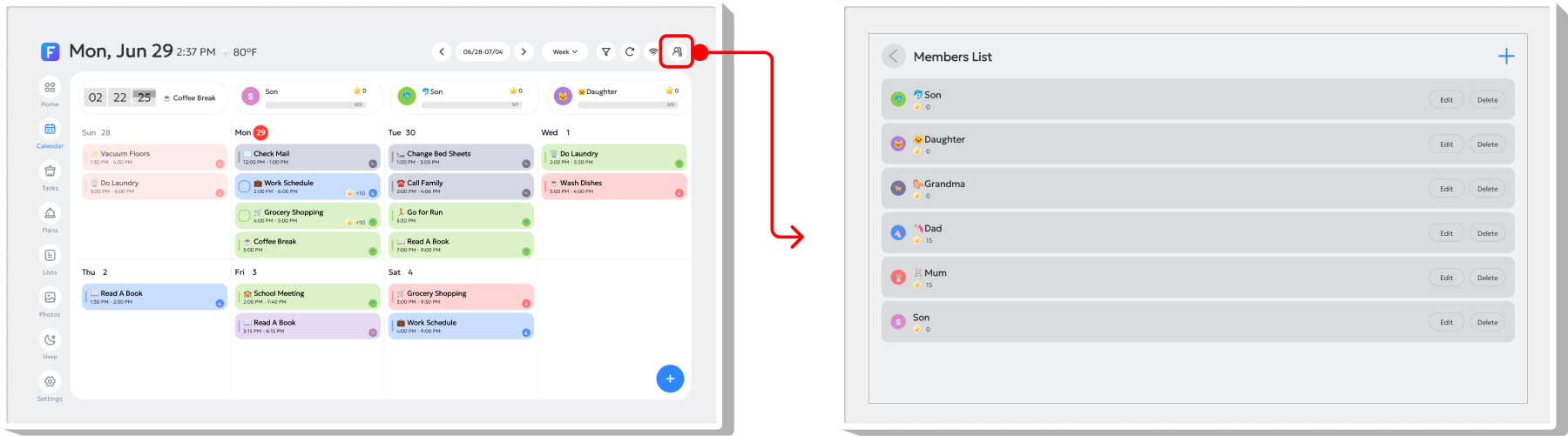
Tap the "" icon in the top-right corner to open the Member List page. Here, you can manage family members by adding, editing, or deleting member information.
2
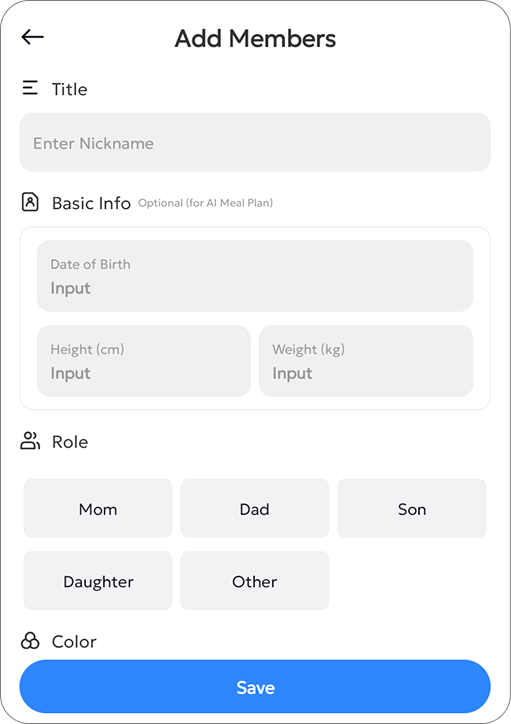
Tap the "+" button in the top-right corner to open the Create Member pop-up window. Enter the new member's name.
You can also add optional details such as birthday, height, and weight. Then select the member's Role and Color.
To update a member's information, tap the "Edit" button and follow the same steps.